|
Home
Computer
Access and Parental Control Lock
My PC
Lock My PC is an easy in use, powerful and compact tool to
lock your computer from unauthorized use. When you leave your computer
unattended, the program disables the hot keys (including Ctrl+Alt+Del),
mouse, locks CD/DVD ROM doors and displays a lock screen. Nobody
can access your system without providing the correct unlock password.
Unlike another similar computer lock software that cannot lock
Ctrl+Alt+Del on a computer running Windows XP, our Lock My PC runs
own keyboard driver to block such key combinations. Moreover, bulletproof
startup lock guarantee that when your computer locaked at startup,
this lock cannot be bypassed even in safe mode!

You don't like snoopers. They are always prying into your e-mail
messages, programs, data, files, etc. Lock My PC allows you to lock
your computer with a password while you leave it unattended. You
can lock your computer manually, with a menu or hotkey, or set up
auto lock when your computer is idle.
Lock My PC (logo and trayicon
menu)
- Quick and safe computer lock by hot key, or mouse click
- Autolock when computer is idle
- Correct Ctrl+Alt+Del lock
- Bulletproof startup lock (couldn't be bypassed in safe mode)
- Different installation mode - setup for home or corporate use
- CD/DVD-ROM doors lock
- Multi-user support
- Multimonitor support
- Auto turnoff when computer is locked for a long time
- Blind password option
- Stealth mode
- Windows XP x64 compatibility
- Custom lock screens
- Cycling lock screen images
- Screen saving effects
- Lock screen transparency - you can view movies under the locked
screen
- Password protected settings, quit and uninstall
- Command line options
- and many more
A lot of users believe that Lock My PC (as well as
any other third party computer lock software) is useless because
Windows XP has integrated computer lock feature.

Standard Windows XP lock screen
Well, indeed, you can simply press Win+L on Windows XP computer
keyboard and your screen will be safely locked. What advantages
Lock My PC has over Windows computer lock?
First of all, when your computer is locked by Windows Lock feature,
anyone who has Windows Administrative privileges can unlock your
computer. Such unlock will force to close your session (all unsaved
changes will be lost). If Welcome screen option is enabled on your
computer (the default settings for non-domain computer), Win+L doesn't
lock the computer at all - it temporary switches the user off and
displays the welcome screen - if you share your computer with others,
they can logon with their usernames and use your computer. Moreover,
if you share your account with other users (it's common for home
PC), Windows XP lock feature is useless at all - your folks will
unlock your computer without any problem.
Another benefits of Lock My PC in comare with Windows lock feature:
- Custom lock screens and transparent lock screen options - your
computer can be used as a presentation machine - the screen displays
pictures or video, but nobody can touch your computer;
- Secure Lock before Windows welcome/logon screen;
- Displaying unsuccesfull unlock attempts - you will be notified
if anyone tried to unlock your computer;
- If Lock My PC is used in muilti-user mode, a supervisor can
unlock the computer without closing user session;
- You can lock CD/DVD ROM doors along with the desktop, keyboard
and mouse - this can prevent CD media from being stolen while
you are out;
- Command line support allows you to use Lock My PC in Internet
kiosks.
Lock My PC provides reliable locking mechanism that impossible
to bypass:
Keyboard driver installed with Lock My PC blocks different key
combinations like Ctrl+Alt+Del, Alt+Tab, Ctrl+Esc and many others.
Booletproof startup lock ("Always lock at startup" option)
displays password prompt box before Windows logon/welcome screen
and (unlikle the most of desktop locking software) bannot be bypassed
in Windows safe mode.
As soon as the installation completed, double click on the Lock
My PC tray icon to lock the computer.
Right click on the tray icon to get access to the program settings.
All settings are groupped by cathegoriies.

Lock My PC settings dialog
You can set up Lock My PC to lock your desktop automatically if
the computer is idle during a certain period of time. Moreover you
can set up Lock My PC to switch the computer off (Hibernate, Standby
etc.) if your computer was locked during a certain period of time.
Lock My PC can work in stealth mode. Stealth mode is a state when
the program is running on your computer but does not show any sign
of its presence in memory. To activate stealth mode, enable options
"Do not show tray icon at startup" and "Hide Lock
My PC from Task Manager".
Lock My PC can be used both in single-user and multi-user environment.
During the installation process, you will instruct Setup wehter
to install Lock My PC in single-user mode or in multi-user mode.
In single-user mode, Setup will create Lock My PC shortcuts only
for you. Locked computer can be unlocked only with your password.
Some advanced options for corporate use will be blocked. This mode
is ideal for home use.
In multi-user mode, Setup will create Lock My PC shortcuts for
all user accounts. Each Lock My PC user will have their own password.
The user who installed Lock My PC will be Lock My PC Administrator
and his/her password - the administator's password. This mode is
ideal for corporate use.
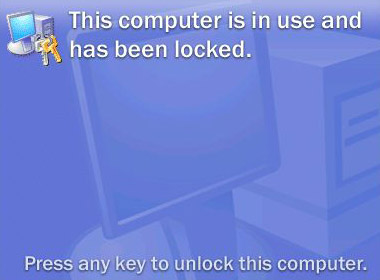
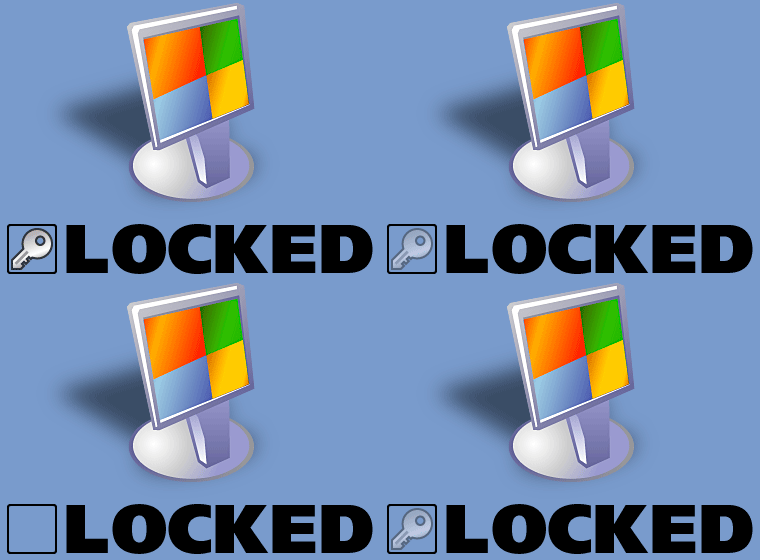
Lock My PC comes with a set of different lock screens. Lock screens
are located in LockScreens subfolder of Lock My PC program folder.
Examples of lock screens.
You can create your own Lock Screen pictures and use them with
Lock My PC. Your computer will look cool and unique when it is locked.
You can use GIF, JPEG, BMP and animated GIF images as lock screens.
Lock Screen transparency level option will allow you to vary the
transparency from fully opaque to fully transparent. The latter
allows you to lock keyboard and mouse only and may be helpful when
you are watching videos or running presentations on your PC.
Lock My PC is shareware. You may evaluate Lock My PC free for 30
days.
Download Lock
My PC now!
If you decide to keep Lock My PC you have to buy it.
Purchase Lock My PC now !
The upgrade from Lock My PC 1.x, 2.x or 3.x to Lock My PC 4.x costs
$9.99 USD for home users and $14.99 USD for business users.
Request the upgrade online
|