|
Home
Files and Folders Password
Protection Hide
Folders 2009
Hide Folders 2009 is an innovative software application
which enables you to password protect all the private information
on your hard drive. You can make your files and folders inaccessible,
invisible or protect them from modification. The protected folders
or files are not accessible by any users - no matter how they are
trying to get in - locally or from the net. Effective protection
mechanism, intuitive user interface, and set of fine-tuning options
will suit the needs of everyone from novice Windows users to computer
experts. Since 2001, our Hide Folders software products help our
users to hide private files and folders from prying eyes.
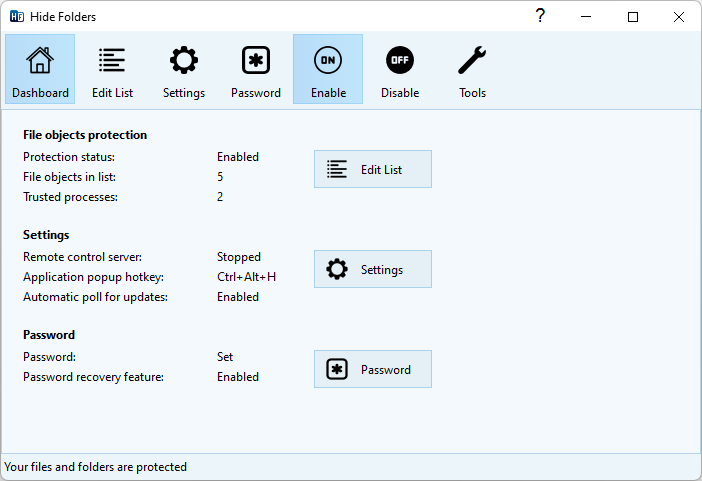
With Hide Folders 2009 you can easily protect
any number of folders and files on your computer. You can select
any file or folder to protect from the program, drag-and-drop the
desired files and folders from Windows Explorer into the Hide Folders
2009 window or protect the file or folder using Windows Explorer
context menu.
- Effective protection methods allow you to hide folders out from
users and applications in Microsoft Windows XP, Windows Vista and Windows 7.
- Nobody but you will access your hidden folders.
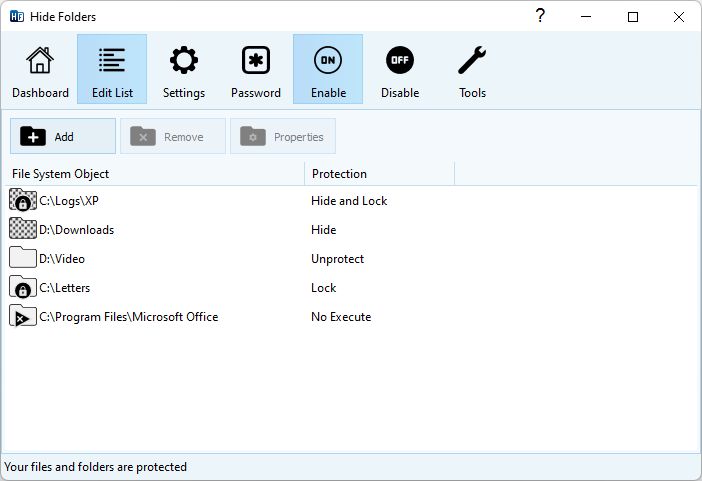
- 4 protection methods available: Hide, Lock, Hide & Lock,
Read Only
- NTFS, FAT32 and FAT volumes are supported.
- File masks support.
- Unlimited number of folders can be protected at the same time.
- Trusted processes support - processes which are permitted to
access the protected data.
- No file system structure modifications will occur.
- Effective password protection when running program.
- Effective password protection when uninstalling program.
- Removing Hide Folders 2009 folder from the system will not uncover
hidden folders.
- Files from hidden folders will not be lost even if someone tries
to remove an upper-level folder.
- Clear recent documents option. Hide Folders 2009 clears records
of recently accessed documents if these documents reside in the
hidden folders.
- Clear Recycle Bin items originally located in hidden folders.
- Secure Hide Folders 2009 by removing itself from the list of
mostly used programs (Windows start menu).
- Secure Hide Folders 2009 by removing itself from Add/Remove
software Control Panel applet.
- Hide Folders 2009 will not hide your Windows, Windows System
folders and Windows partition root folders - so careless using
of Hide Folders 2009 would not bring the system down.
- True stealth mode - you cannot detect the program with Windows
Task Manager.
- Safe mode support - The folders can be hidden even if your computer
is running in safe mode.
- Hot keys to manage basic Hide Folders 2009 functions.
- Command line support of all main Hide Folders 2009 functions.
- Support of folders named with national language symbols .
- Hide Folders 2009 is multilingual software, its user interface
supports different languages and can be easily translated to new
languages.
- Intuitive and extremely easy-to-use user interface with visual
styles support.
A lot of advanced users believe that Hide Folders 2009 (as well
as any other third party folder protection software) is useless
because Windows has integrated file and folder lock features.
Well, indeed, you can lock folders with Windows XP/Vista/Seven and this
folder will be inaccessible by the other (unauthorized) users. But
there are some annoying limitations that you should be aware of:
- Windows allows you to lock files and folders on NTFS volumes
only. FAT and FAT32 are not supported.
- It is impossible to hide folder or file with standard Windows
facilities. Only file and folder lock is possible.
- There is no way to make folder invisible but accessible which
is helpful for different security tasks like logging, private
data recording, backing up etc.
- A system administrator can easily get access to the locked folders
and files.
- Windows XP home edition doesn't have a user interface to protect
files and folders.
- There is no files and folders password protection in Windows
(except the password you provide during Windows logon) - as soon
as an authorized user authenticate himself by logging on, s/he
get access to the protected files and folders. If you share your
account with the another users then you can't exploit Windows
folder protection features.
Hide - When you enable protection, the protected file or
folder will not be visible to a user, but it will be possible to
access it if you know the path to the object. This may be helpful
when you want to hide application folders but allow to run the applications
from these folders. E.g. you may hide Hide Folders 2009 application
folder so nobody will know about it, but if you type from the command
prompt "C:\Program Files\Hide Folders 2009\hf.exe", Hide
Folders 2009 will run.
Lock - the protected file or folder will be visible but not
accessible. It is similar to built-in protection of Windows NT-based
operating systems on NTFS volumes. You can not use this protection
method for Windows, System and Hide Folders 2009 application folders.
Hide & Lock - The protected file or folder will not be
visible to a user and it will not be possible to access them. You
can not use this protection method for Windows, System32 and Hide
Folders 2009 application folders.
Read only - You can access the protected files and folders,
but you cannot modify them. If you protect folder contents (using
asterisk wildcard), you cannot copy files into the folder.
No protection - If you choose this method, your file or folder
will remain unprotected.
Get Free
trial of Hide Folders 2009 now!
Sometimes you may want some "trusted" applications have
access to the protected data. This may be helpful for antivirus
and backup software. Hide Folders 2009 lets you set a list of trusted
processes that have an unlimited access to the protected files and
folders.
It is very easy to protect files and folders with a password. Just
specify your own password for opening Hide Folders 2009 and nobody
but you will access your hidden files and folders! This password
also protects Hide Folders 2009 from unauthorized uninstall. Unlike
previous versions of Hide Folders software, it's impossible to reset
the password using third-party tools.
It is possible to remove all the tracks of Hide Folders 2009.
When Hide Folders application is not running, hidden files
and folders are invisible anyway. Moreover, you can remove your
Hide Folders 2009 application folder and the hidden files and folders
will stay invisible. Fantastic?! Just
try it - it's free!
When you quit Hide Folders, it can clear links to protected files
from My Recent Documents folder, clear Recycle Bin file and folders
that were protected before deletion and remove Hide Folders application
from the mostly used programs list.
Moreover it is possible to hide uninstall information about Hide
Folders 2009 software and hide folders even in Windows Safe mode.

We beleive that modern software products must have not only friendly
user interface, but also an attractive look. Hide Folders 2009 allows
you to change look and feel of the program and adjust it in accordance
with your own preferences.
During the development process of Hide Folders 2009 we discussed
and considered every detail. Our users offered some of them, so
we made the program as flexible as it was possible:
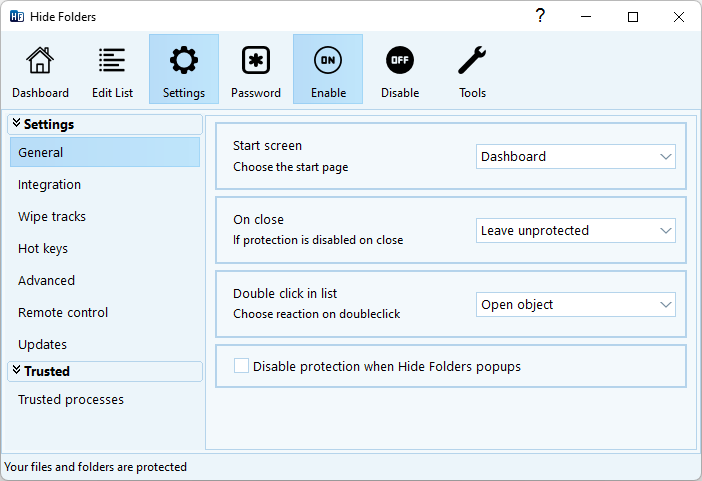
- You can assign hot keys to basic Hide Folders 2009 actions.
- You can set a list of programs which are allowed to access the
protected data.
- You can protect files by mask (e.g. protect only HTML files
on your computer).
- You can change the default behavior of standard Microsoft Windows
actions (Close window, minimize window).
- You can add Hide Folders 2009 into Windows Explorer context
menu to hide and lock a file or folder easy even when the program
in not running.
- Hide Folders 2009 is Windows Desktop search aware.
- Hide Folders 2009 is multilingual software – it can be
easily translated into new languages.
- Command line options allow to use Hide Folders 2009 from other
software, scripts etc.
Any system and security utilities require more accurate work because
such kind of software can easily make the system unstable. A great
number of testers are testing our software to make sure that it
will not be a reason of data loss.
In compare with other folder protection software, Hide Folders
XP gives you the following benefits:
- Hide Folders 2009 is fully compatible with Windows
XP, Vista and Windows 7 (32 and 64-bit editions.
- It works with any Windows-compatible file systems (NTFS, FAT32
and FAT).
- When Hide Folders 2009 protects files and folders, no file system
structure modifications occurs.
- If you protect a lower-level file or folder and then try to
remove or rename an upper folder, Hide Folders 2009 will prohibit
this operation.
- Security tips that explain how to use Hide Folders 2009 effectively
and prevent misuse of the program.
- Free and Fast customer support will be happy to help in case
of any problem with software operating.
Every version of Hide Folders software works better and safely
then the previous one. The first version of Hide Folders was released
back in the beginning of 2001 and we permanently added new features
and made it more safe and reliable all this time.
Protect your folders now! - Download Free trial
The upgrade from Hide Folders Pro, Hide Folders XP 1.x or Hide
Folders XP 2.x to Hide Folders 2009 costs $14.99 USD.
Request the upgrade online
|